
You can move through Site Builder in a linear manner using the Back and Next navigation buttons. Or, you can use the Site Builder menu to jump directly to specific Site Builder pages. The following sections describe the differences between these two navigation methods.
If you are performing initial setup of your site, we recommend using the Back and Next buttons at the bottom of each page to navigate the site. These buttons take you step-by-step through the process of creating your website, similar to setup wizards you may have used with other software. Be aware, however, of the following differences:
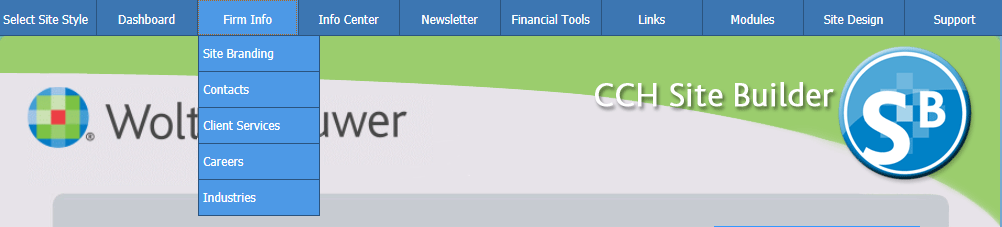
Once your site is created, using the menu bar may be the most efficient way for you to navigate the site. The menu bar is located at the top of each Site Builder page. Clicking a link on the menu bar will take you directly to that section of Site Builder.
Some menus also have submenus. Clicking a main menu button opens a main page that provides information about the features provided on the submenu. Hovering the pointer over a main menu button causes the submenu to display, if there is one. You can then click an option on the submenu to go to that page.
| Product Support - support.cch.com Customer Support Knowledge Base - support.cch.com/kb Customer Support Contacts - support.cch.com/contact |
|


